
The copybooks have been mapped. The catlgapi has been deployed. The results of these actions can be tested in a browser using a URL that is your IP Address:Port/api/explorer. The browser will display Liberty REST APIs page.
The new API mapped in z/OS Connect displays.
- Select the List Operations link. The API will display with the GET method displaying the API.
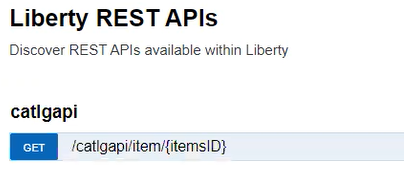
Figure 344. REST API GET Method - Select the GET method button and the Response Operation for DK1APIC1-Con will display .
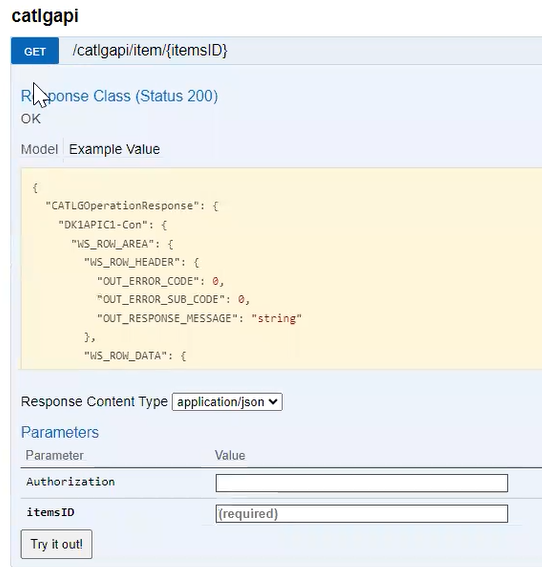
Figure 345. GET button response operation - In the itemsID enter the value “20” for one of the items listed in the EXMPCAT table currently loaded in the VTS-TSR for API001.
- Select the Try it Out! button. The mapped copybook will display the results mapped for the ItemsID with the OUT_RESPONSE_MESSAGE that the operation was successful, and the related data.
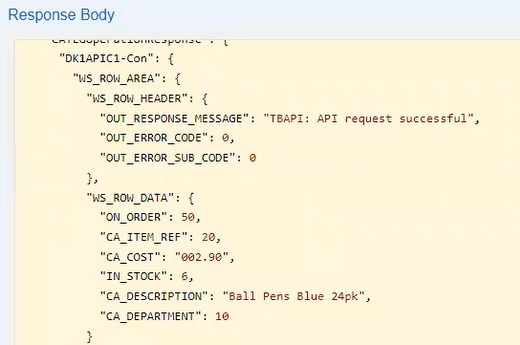
Figure 346. Successful Output Response