
To view the z/OS Connect EE Service Project, set the perspective to the OpenAPI 2 perspective
- Start IBM Explorer for z/OS and open the z/OS Connect Enterprise Edition (OpenAPI 2) perspective. Select Window > Select Perspective > Select Open Perspective > Select Other. The Open Perspective window will display.
- Select z/OS Connect Enterprise Edition and the Open button.
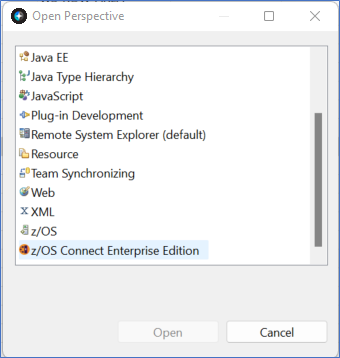
Figure 253. Open Perspective Window