- Using the right mouse button select CATLG > z/OS Connect EE > Deploy Service to z/OS Connect EE Server. The Deploy Service Window will display.
- Select the OK button. The Deploy Service Window will close. The Deploy Service to z/OS Connect EE Server Result window will display.
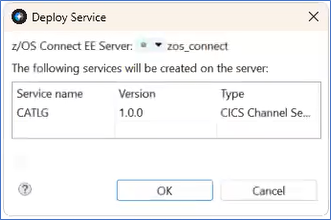
Figure 265. Deploy Service - Select the OK button. The Deploy Service to z/OS Connect EE Server Result window will close.
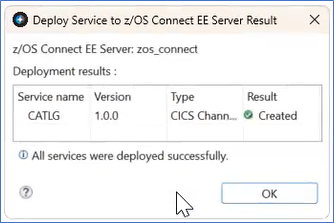
Figure 266. Deploy Service to z/OS Connect EE Server Result - In the z/OS Connect EE Servers tab, the Service CATLG displays under the Services folder.
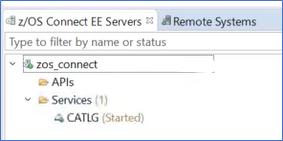
Figure 267. CATLG z/OS Connect EE Servers
