- Select File > New > z/OS Connect EE API Project. The New Project window will display.
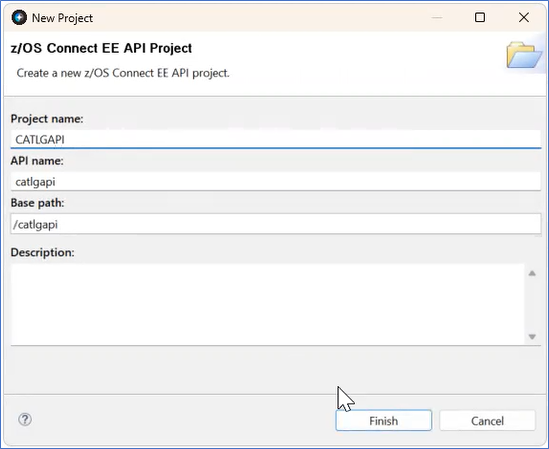
Figure 316. New API Project - In the New Project window enter the following information:
- The Project name is CATLGMAPI.
- the API Name will populate with catlgmapi. It is an editable field.
- The Base Path will populate with /catlgmapi. It is an editable field.
- Enter an optional description.
- Select the Finish button. The New Project window will close and the API Editor will display.
- Change the path name to /items/{item-desc}.
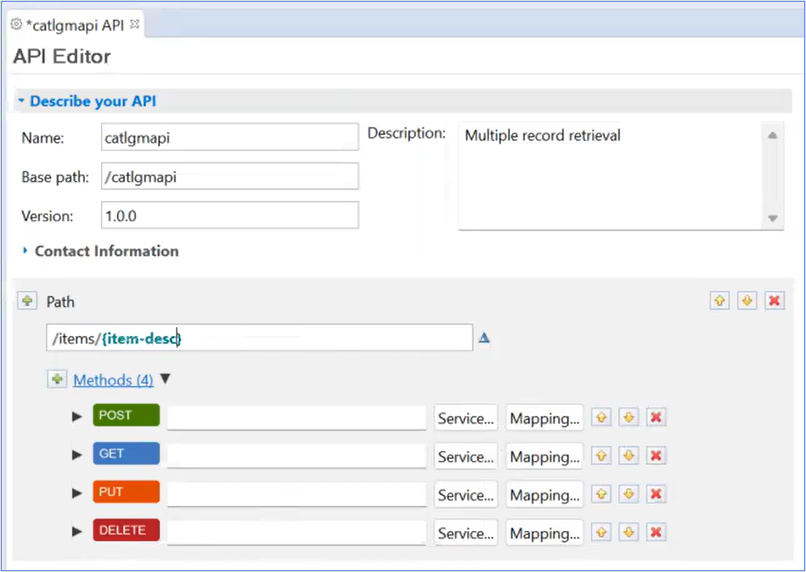
Figure 317. catlgmapi Editor - Remove the POST, PUT, and DELETE methods by selecting the box with a red X to the right of the Method. A window will display to confirm the deletion. The GET Method should be the only Method.
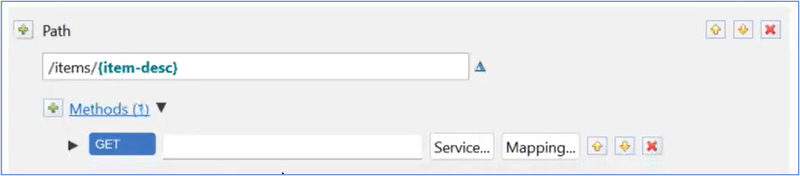
Figure 318. GET Method - In the Project Explorer window, right-click to select the CATLGM. Select z/OS Connect EE > Export z/OS Connect EE Service Archive. The Export Service Package Window displays.
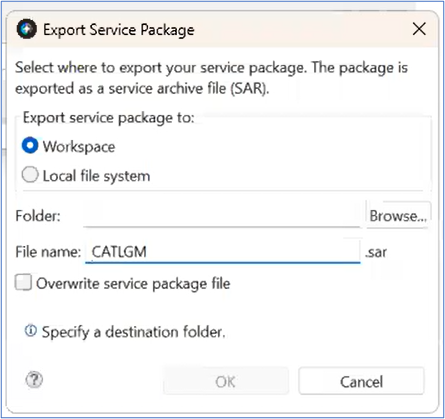
Figure 319. Export Service Package - Select the Browse button. The Select Workspace Folder window will display.
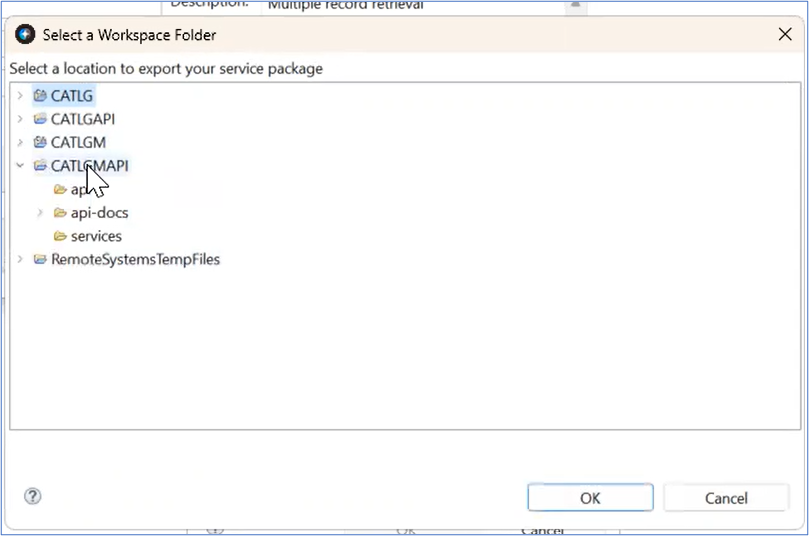
Figure 320. Select a Workspace Folder Window - Select CATLGMAPI.
- Select the OK Button. The Select a Workspace Folder Window will close. The Export Service Package Window displays the Folder is mapped to /CATLGMAPI.
- The Export Service Package window displays the selected folder and file name. Select the OK button. The Export Service Package window will close.
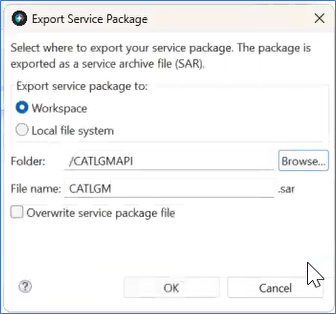
Figure 321. Completed Export Service Package
