Select the List Operations link. The API will display with the GET method displaying the API.
Select the catlgmapi GET.
In the Parameters section, enter a search option in the item-desc field that will generate multiple responses.
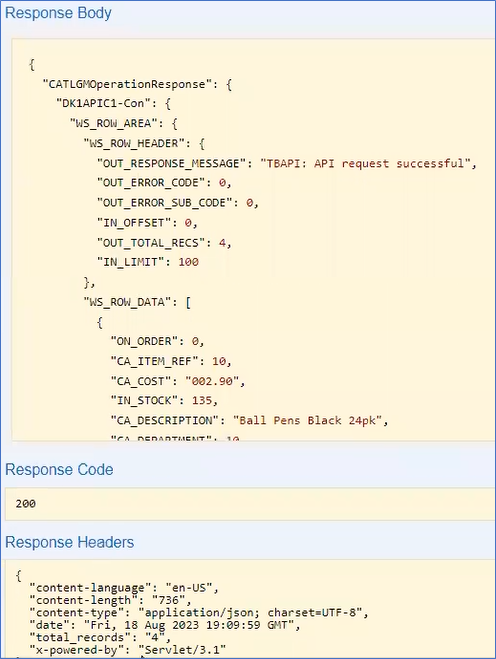
Select the Try it Out! button. In the Response Body the OUT_RESPONSE_MESSAGE displays API request successful. In the Response Headers Section the total_records = 4. Four records associated with the item-desc are returned.