- Select File > New > z/OS Connect EE Service Project. The New Project Window will display.
- Enter the following details:
- Project Name is CATLG
Note:CATLG is the name provided for this sample. Please use your organization’s naming schema.
- Project Type is CICS Channel Service.
- Enter a description.
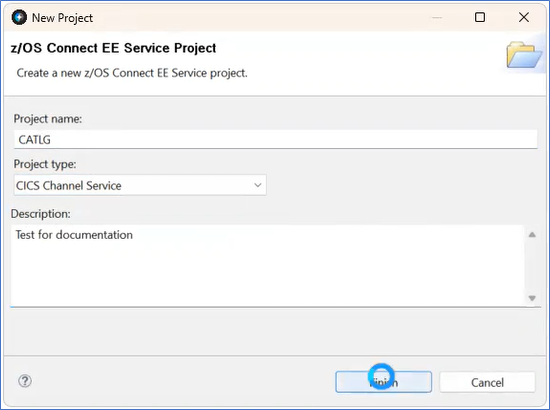
Figure 254. New Project Window for Service Project
- Project Name is CATLG
- Select the Configuration tab for the CATLG Service. In the Service Project Editor, enter the CICS Connection in the Connection reference field.
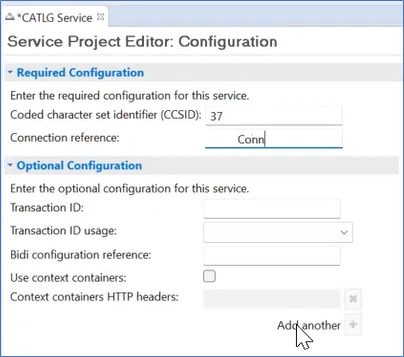
Figure 255. Service Project Editor
