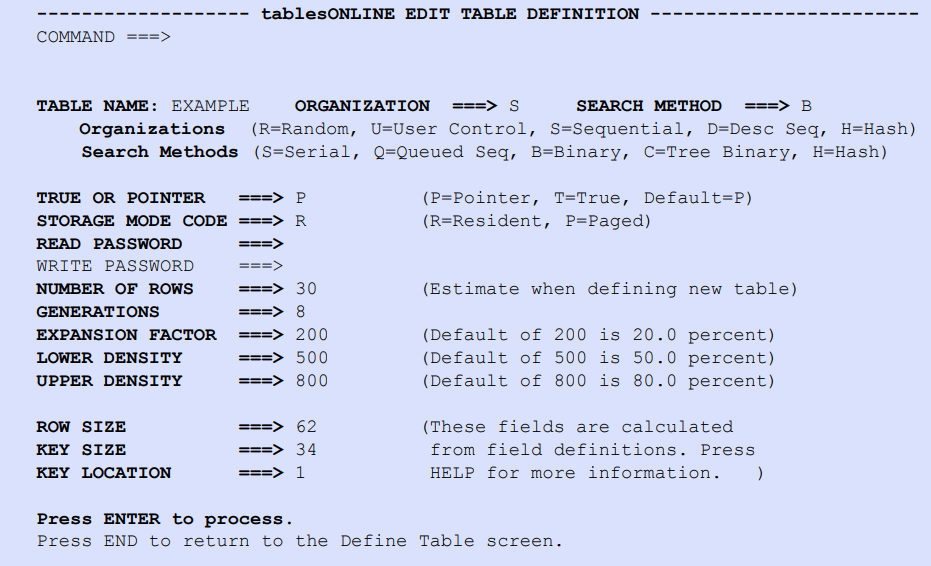
To define general characteristics of the Data Table, choose Option 3 – EDIT TABLE DEFINITION on the tablesONLINEDEFINE TABLE screen (see Figure 199). The tablesONLINEEDIT TABLE DEFINITION screen appears, as illustrated in Figure 204. The fields are initialized to default values if defining a new table. Press <Enter> to process input. If <PF3> is pressed to exit the screen and <Enter> is not pressed, the table definition is not processed.
The following descriptions provide an overview of the fields on the tablesONLINEEdit Table Definition screen (see Figure 204). For more information, see the tableBASE Programming Guide.